7 platforms → Apple Music
Your playlists come with you.
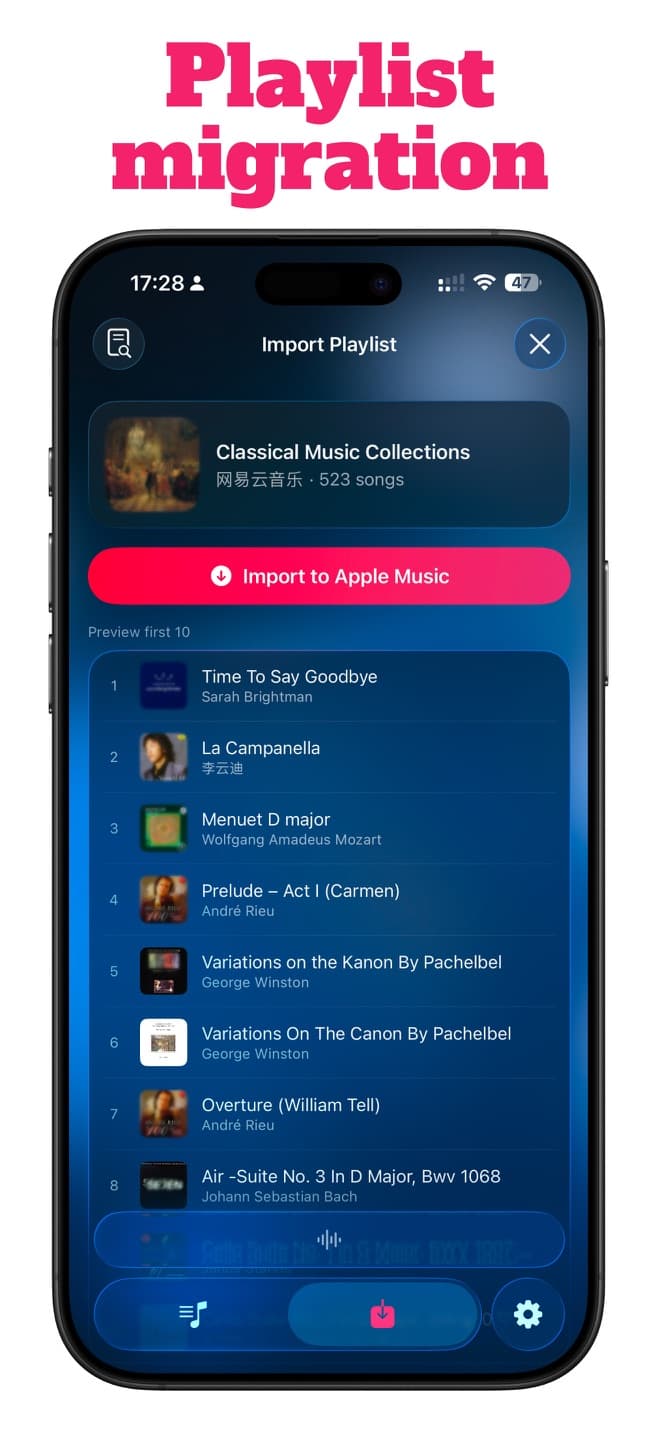
Paste a link or scan a QR code. MusicPal finds the songs and brings them into Apple Music.
 Spotify
 Netease Cloud Music
 QQ Music
 Kugou Music
 Kuwo Music
 Bodian Music
 Qishui Music
 Apple Music
Supported playlist transfer routes to Apple Music
- Spotifyplaylists to Apple Music
- Netease Cloud Musicplaylists to Apple Music
- QQ Musicplaylists to Apple Music
- Kugou Musicplaylists to Apple Music
- Kuwo Musicplaylists to Apple Music
- Bodian Musicplaylists to Apple Music
- Qishui Musicplaylists to Apple Music
Import in a tap
Paste a playlist link or scan its QR code.
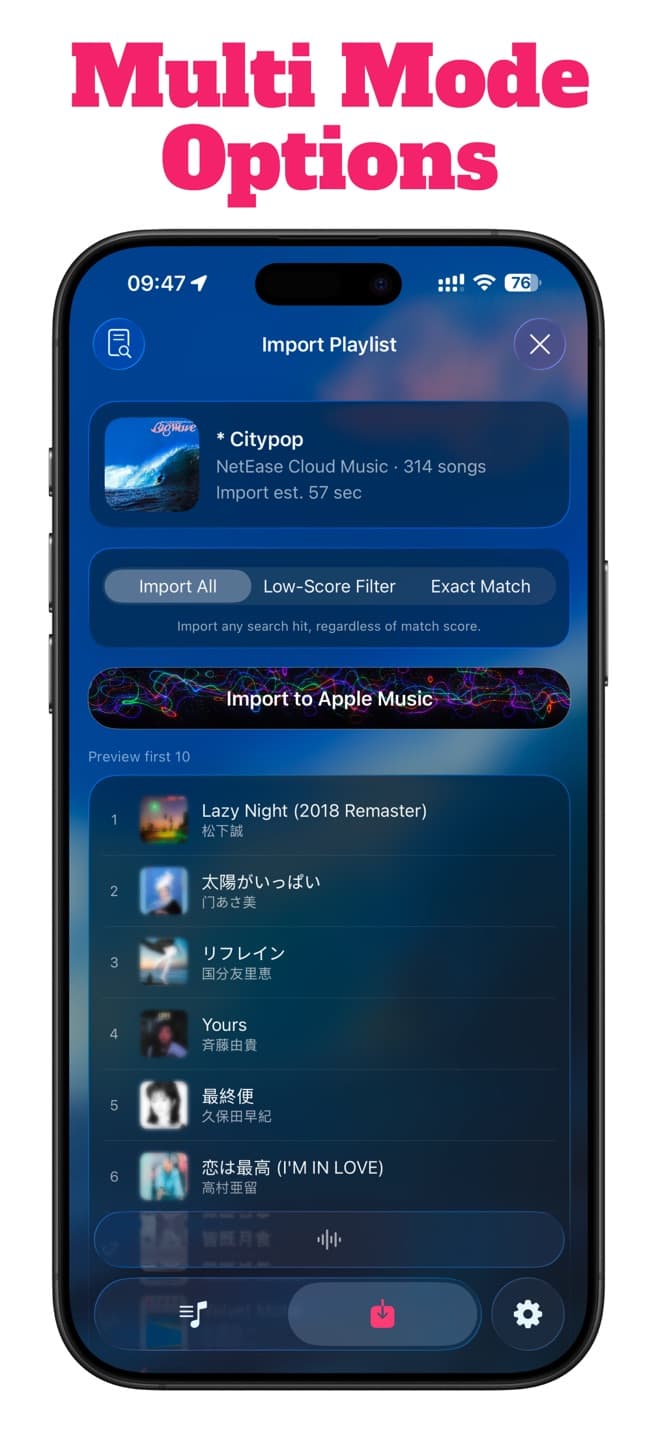
Control the match
Choose default, low-score filtering, or precise matching.
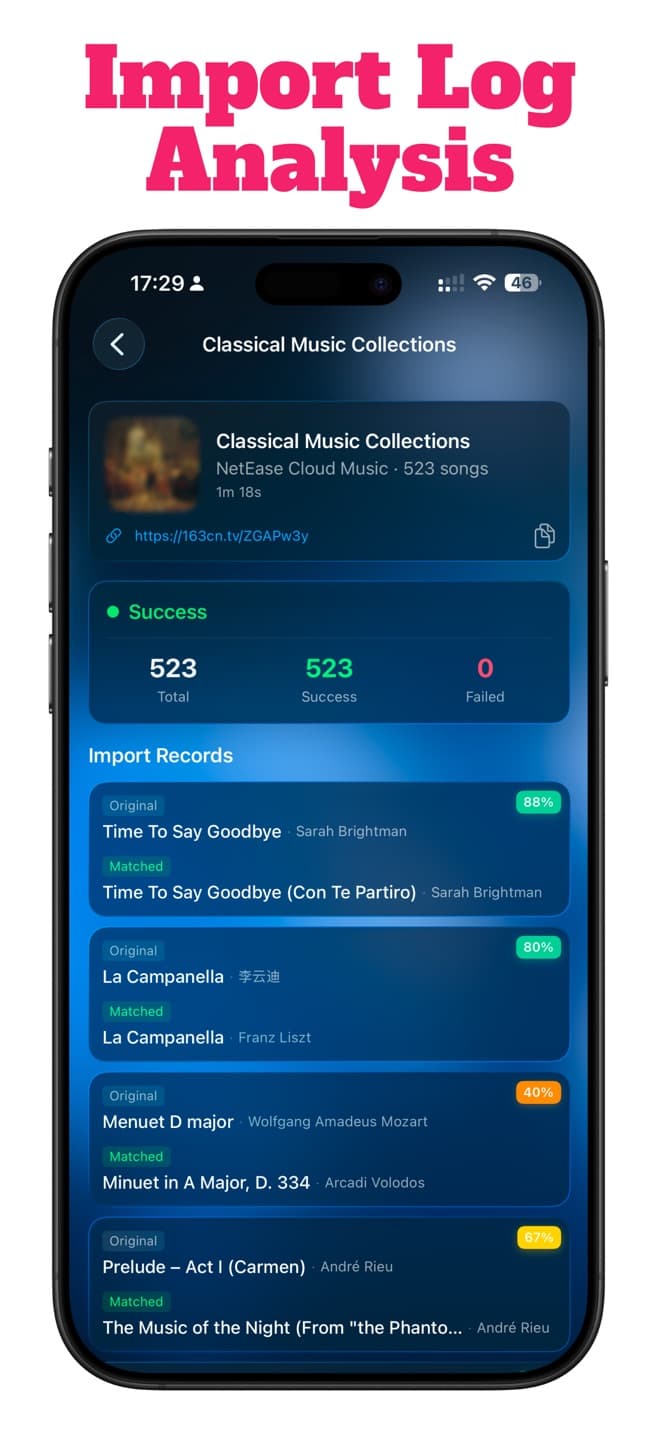
Review the result
See successes and misses, then retry failed songs.
Clear from start to finish
See exactly what moved.
Choose how closely songs should match, then review every result.
After the transfer
More than a transfer.
Manage your library, discover music, and follow word-by-word lyrics in one place.